
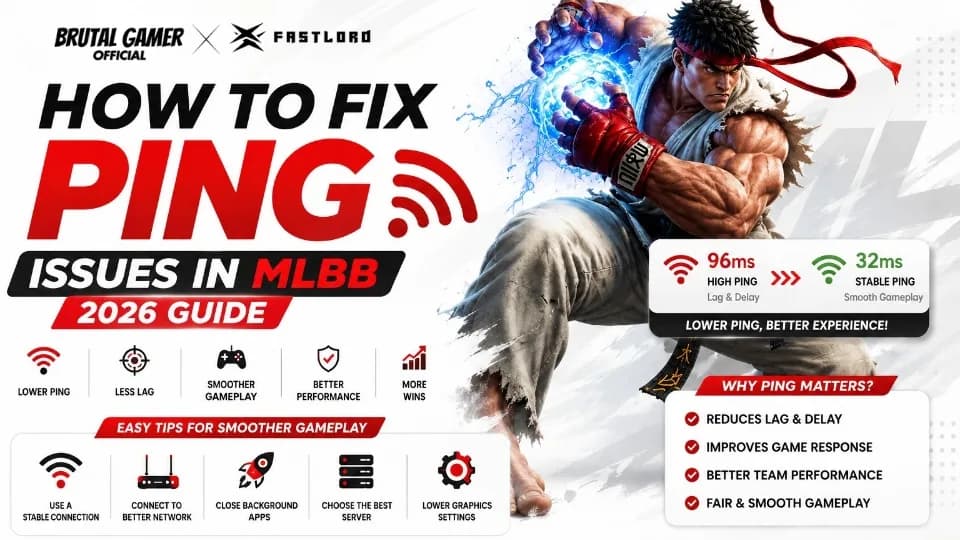
High ping can ruin even the best Mobile Legends matches. This guide explains the most effective ways to reduce ping in MLBB, improve network stability, and enjoy smoother gameplay using practical tips that work for both Android and iPhone players. Last Updated: June 2026
How to Fix Ping Issues in MLBB 2026 Guide
Introduction
Nothing is more frustrating than entering a ranked match only to experience sudden lag, delayed skill activation, or heroes freezing in place because of high ping. In Mobile Legends: Bang Bang (MLBB), even a slight delay can mean missing an important combo, losing a Turtle fight, or failing to secure the Lord.
Fortunately, many ping problems are preventable. While some issues originate from temporary server conditions, most are related to your internet connection, device settings, or network environment. Learning how to identify the real cause allows you to fix problems quickly and enjoy smoother gameplay.
This guide explains how to fix ping issues in MLBB in 2026, covering practical solutions for beginners and experienced players alike.
Featured Snippet (Quick Answer)
To fix ping issues in MLBB, use a stable Wi-Fi or strong 4G/5G connection, close background apps, avoid downloads while gaming, restart your router if needed, update the game regularly, and enable your phone's Game Mode if available. Choosing the nearest server and playing during stable network conditions can also improve latency and reduce lag.
Why Trust This Guide?
FastLord creates player-focused guides based on official information and real gaming experience.
This guide is supported by:
Years of MLBB gameplay experience.
Continuous monitoring of Mobile Legends updates.
Official MOONTON news and support resources.
Research into common player-reported connection issues.
Practical optimization techniques that do not require unofficial software.
Our recommendations focus on safe, reliable methods that comply with the game's official guidelines.
Understanding Ping in Mobile Legends
Before fixing high ping, it's important to understand what it actually means.
Ping measures the time it takes for information to travel between your device and the MLBB game server. The lower the ping, the faster your actions are registered.
Generally:
PingGameplay ExperienceBelow 50 msExcellent responsiveness50–100 msSmooth for most players100–150 msNoticeable delayAbove 150 msFrequent lag and delayed actions
These values are approximate and may vary depending on your connection quality and server conditions.
Common Causes of High Ping
High ping is not always caused by slow internet.
Several factors can contribute to unstable gameplay, including:
Weak Wi-Fi signals.
Congested home networks.
Poor mobile data coverage.
Background downloads.
Automatic cloud backups.
Temporary server maintenance.
Network routing issues.
Router placement.
ISP congestion during peak hours.
Identifying the source of the problem is the first step toward solving it.
Use a Stable Internet Connection
A consistent connection is often more important than raw internet speed.
For many players, a reliable Wi-Fi network provides better stability than fluctuating mobile data. However, if your Wi-Fi signal is weak, switching to a strong 4G or 5G connection may reduce latency.
Before starting ranked matches:
Check your signal strength.
Test both Wi-Fi and mobile data if available.
Avoid switching networks during gameplay.
Consistency is key to maintaining stable ping.
Move Closer to Your Router
Distance and physical obstacles can weaken Wi-Fi performance.
Walls, furniture, and other electronic devices may interfere with your signal, increasing latency even if your internet speed appears fast.
For the best results:
Play in the same room as your router whenever possible.
Position the router in an open area.
Avoid placing it inside cabinets or behind large objects.
Minimize interference from other wireless devices.
Even small improvements in signal quality can noticeably reduce ping spikes.
Close Background Applications
Many apps continue using internet bandwidth after you've stopped actively using them.
Examples include:
Video streaming services.
Cloud storage synchronization.
Social media updates.
Automatic software downloads.
Music streaming.
Closing unnecessary applications before launching MLBB allows your device to dedicate more resources to the game and reduces competition for network bandwidth.
Restart Your Network Equipment
Sometimes the simplest solution is also the most effective.
Restarting your modem and router refreshes the network connection and may resolve temporary routing issues or memory-related slowdowns.
A basic restart usually involves:
Turning off the modem and router.
Waiting approximately 30 seconds.
Powering them back on.
Allowing the connection to fully stabilize before launching MLBB.
This quick maintenance step often improves network performance.
Enable Game Mode
Many modern Android devices include a dedicated Game Mode.
Although features vary by manufacturer, Game Mode commonly:
Prioritizes gaming performance.
Reduces background activity.
Minimizes interruptions from notifications.
Optimizes processor usage.
Improves touch responsiveness.
If your smartphone offers this feature, enabling it before starting Mobile Legends can contribute to a smoother experience.
Keep Mobile Legends Updated
Each new MLBB update may include:
Bug fixes.
Performance improvements.
Network optimizations.
Compatibility enhancements.
Stability improvements.
Using the latest version ensures you're benefiting from the newest optimizations released by MOONTON.
Regular updates also reduce the likelihood of compatibility issues that could affect gameplay.
Continue: How to Fix Ping Issues in MLBB 2026 Guide
Use the Best Network Available
Not every internet connection performs the same, even if the advertised speeds look impressive. What matters most in Mobile Legends is a stable connection with low latency.
Before starting a ranked match, compare your available networks.
If your home Wi-Fi is experiencing congestion, a strong 4G or 5G connection may provide better results. On the other hand, if your mobile signal is weak indoors, switching to a stable Wi-Fi network is usually the better option.
Testing both connections at different times of the day can help you determine which one consistently delivers the lowest ping.
Wi-Fi vs Mobile Data
Choosing between Wi-Fi and mobile data depends on signal quality rather than the connection type itself.
ConnectionBest Used WhenWi-FiStrong signal, low network congestion, stable home internet4G/5G Mobile DataStrong cellular coverage and stable carrier performancePublic Wi-FiOnly if the network is secure and lightly used
Avoid switching between networks during a match, as doing so can interrupt your connection to the MLBB server.
Reduce Network Congestion
Even with fast internet, network congestion can increase ping.
Your connection may slow down if multiple devices are simultaneously:
Streaming high-definition videos.
Downloading games.
Uploading files to cloud storage.
Joining video meetings.
Updating software.
If possible, pause these activities while playing Mobile Legends. Giving your game priority on the network often results in a more stable experience.
Restart Your Phone Before Long Gaming Sessions
A simple restart clears temporary memory usage, closes background processes, and refreshes system resources.
Many players notice smoother gameplay after restarting their device, especially if it has been running continuously for several days.
Restarting only takes a minute and can resolve minor performance issues before they become noticeable during a match.
Keep Your Device Cool
Overheating doesn't directly increase ping, but it can reduce your device's performance, making lag feel worse.
To minimize heat:
Play in a cool environment.
Avoid direct sunlight.
Remove bulky phone cases if they trap heat.
Avoid charging while playing if your device becomes excessively warm.
Lower screen brightness when possible.
Maintaining a comfortable device temperature helps sustain consistent performance during extended gaming sessions.
Should You Change DNS Settings?
Some players experiment with alternative DNS providers in hopes of reducing latency.
While changing DNS may improve website loading times in certain situations, it generally has little effect on in-game ping because latency depends primarily on the route between your device and the game server.
If you're experiencing consistently high ping, improving your internet connection or contacting your internet service provider is usually more effective than changing DNS settings.
Do VPNs Help Reduce Ping?
A VPN does not automatically lower ping. In fact, routing your connection through an additional server often increases latency.
Some players report improvements in specific situations where a VPN provides a better network route, but this varies depending on the provider, location, and server conditions.
For most players, using a stable internet connection without a VPN offers the best overall performance.
Check for Background Downloads
Automatic downloads may consume bandwidth without you noticing.
Before opening MLBB, make sure that:
App updates are not downloading.
Cloud backup services are paused if possible.
Streaming services are closed.
Large file transfers have finished.
Reducing background internet activity helps your connection focus on gameplay.
Play on the Correct Server
Mobile Legends automatically connects players to the most appropriate server whenever possible.
However, unusual matchmaking conditions or temporary server issues can occasionally affect your experience.
If you consistently notice unusually high ping, check official MOONTON announcements for maintenance schedules or known server issues before troubleshooting your own device.
Common Mistakes That Increase Ping
Many connection problems are caused by everyday habits.
Avoid these common mistakes:
Playing far from the Wi-Fi router.
Using crowded public Wi-Fi.
Leaving multiple streaming apps open.
Ignoring available MLBB updates.
Gaming while large downloads are running.
Switching between Wi-Fi and mobile data during a match.
Using unstable internet connections for ranked games.
Correcting these habits can significantly improve your overall gaming experience.
Quick Troubleshooting Checklist
If your ping suddenly increases, work through this checklist:
Check your internet signal.
Restart your router if needed.
Restart your smartphone.
Close unnecessary background apps.
Pause downloads and streaming.
Update Mobile Legends to the latest version.
Enable Game Mode if your device supports it.
Test both Wi-Fi and mobile data.
Verify whether MOONTON has announced server maintenance.
Following these steps can often resolve common connection issues without requiring advanced technical knowledge.
Key Takeaways
Stable internet is more important than raw download speed.
Keep your device updated and free from unnecessary background activity.
Choose the connection that consistently provides the lowest latency.
Prevent overheating to maintain overall performance.
Avoid public Wi-Fi for competitive matches whenever possible.
Restarting your router and phone can solve many temporary issues.
Stay informed about official MLBB server maintenance announcements.
Continue: How to Fix Ping Issues in MLBB 2026 Guide
People Also Ask
Why is my ping so high in Mobile Legends?
High ping in Mobile Legends is commonly caused by an unstable internet connection, weak Wi-Fi signal, network congestion, background downloads, or temporary server issues. In some cases, outdated game versions or ISP routing problems can also increase latency.
What is the best ping for MLBB?
For the best gameplay experience, a ping below 50 ms is ideal. A ping between 50–100 ms is generally smooth for most players, while latency above 100 ms may result in noticeable delays during combat.
Does 5G reduce ping in Mobile Legends?
A strong 5G connection can provide lower latency than a weak Wi-Fi network. However, actual performance depends on your carrier's coverage, network congestion, and distance from the nearest cell tower.
Can Game Mode reduce lag?
Game Mode doesn't directly lower ping, but it helps improve overall performance by allocating more device resources to the game, limiting background processes, and reducing interruptions.
Does restarting my router help?
Yes. Restarting your modem and router refreshes your internet connection and may resolve temporary network issues, helping improve stability and reduce latency.
Can server maintenance cause high ping?
Yes. During scheduled maintenance or periods of unusually high server traffic, players may experience temporary increases in latency. Always check official MOONTON announcements if widespread issues are reported.
Ping Reference Guide
Ping RangeGameplay ExperienceBelow 50 msExcellent responsiveness with minimal delay50–100 msSmooth gameplay suitable for most players100–150 msModerate delay may be noticeableAbove 150 msHigh latency that can affect gameplay significantly
These values are general guidelines and can vary based on your network and server conditions.
Frequently Asked Questions
1. What causes sudden ping spikes in MLBB?
Ping spikes can occur due to unstable Wi-Fi, network congestion, background downloads, ISP routing changes, or temporary server issues. Identifying whether the issue is local or server-related helps determine the appropriate solution.
2. Is Wi-Fi always better than mobile data?
Not necessarily. A stable Wi-Fi connection is often ideal, but a strong 4G or 5G connection can outperform weak or congested Wi-Fi. The best option depends on your signal quality and network conditions.
3. Should I lower graphics settings to reduce ping?
Lowering graphics settings can improve frame rate (FPS) and overall device performance, but it typically does not reduce network latency. Ping and FPS are separate aspects of gameplay, although both contribute to a smoother experience.
4. Can background apps affect my gameplay?
Yes. Apps that download updates, stream media, or synchronize files can consume bandwidth and device resources, potentially increasing latency or causing performance issues.
5. Will updating MLBB improve my connection?
Game updates often include bug fixes, performance improvements, and compatibility enhancements. While updates may not directly lower ping, keeping the game current helps ensure the best possible experience.
6. Is public Wi-Fi suitable for ranked matches?
Public Wi-Fi networks are often shared among many users, making them less stable and more prone to latency. Whenever possible, use a trusted home Wi-Fi connection or a reliable mobile data network.
7. Can overheating increase ping?
Overheating primarily affects your device's performance by causing thermal throttling, which may lead to frame drops. Although it doesn't directly increase network latency, it can make gameplay feel less responsive.
8. Should I use a VPN for MLBB?
Most players will experience the best results without a VPN. While a VPN may improve routing in rare cases, it often adds extra latency. Use only trusted services if testing this option.
9. How often should I restart my router?
If you notice ongoing connection instability, restarting your router periodically can help refresh the connection. Frequent unexplained issues may indicate that you should contact your internet service provider.
10. Where can I find more MLBB optimization guides?
FastLord publishes guides covering Mobile Legends performance, hero strategies, top-up tips, patch notes, event updates, redeem codes, and more to help players stay informed.
Sources & References
This guide is based on official Mobile Legends resources, general networking best practices, and ongoing observation of game updates and community-reported performance trends.
Official Mobile Legends: Bang Bang Website
https://m.mobilelegends.com/
Official Mobile Legends Facebook
https://www.facebook.com/MobileLegendsGame
Official MLBB News & Patch Notes
https://m.mobilelegends.com/news
MOONTON Support
https://m.mobilelegends.com/support
For the latest announcements regarding server maintenance, updates, and connectivity improvements, always refer to official MOONTON channels.
About FastLord
FastLord is a trusted resource for Mobile Legends players seeking accurate, up-to-date information and practical gaming advice. Whether you're a casual player or aiming for higher competitive ranks, FastLord provides reliable content to support your MLBB journey.
FastLord covers:
MLBB News
Event Updates
MLBB Top-Up Guides
Mobile Legends Diamond Information
Hero Guides
Skin Release News
Patch Notes
Redeem Codes
Tier Lists
Event Calendars
Gameplay Tips and Strategy Guides
Our editorial team prioritizes official source verification, factual accuracy, and player-focused recommendations.
Final Thoughts
High ping can quickly turn an enjoyable Mobile Legends match into a frustrating experience, but many connection problems can be improved with a few practical adjustments. Using a stable network, keeping your device updated, minimizing background activity, and maintaining good Wi-Fi or mobile signal quality are among the most effective ways to reduce latency.
Remember that not every issue originates from your device. Temporary server maintenance, internet service provider routing, or regional network congestion can also affect your connection. Understanding the difference between local issues and server-side problems helps you troubleshoot more effectively.
By following the tips in this guide, you'll be better prepared for smoother matches, faster reactions, and a more enjoyable MLBB experience in 2026.
For the latest MLBB News, Mobile Legends top-up guides, Diamond tips, hero guides, patch notes, event calendars, redeem codes, tier lists, and performance optimization articles, bookmark FastLord and visit regularly to stay ahead of every Mobile Legends update.

Brutal Gamer Official
Gaming Content Creator
Brutal Gamer Official is a passionate gaming content creator and Mobile Legends enthusiast dedicated to bringing players the latest MLBB news, leaks, hero guides, event updates, redeem codes, and gameplay strategies. With a focus on accuracy, speed, and community-driven content, Brutal Gamer Official aims to help casual and competitive players stay ahead of the meta while enjoying everything the world of Mobile Legends: Bang Bang has to offer.